Home Center Lite: A Complete Guide to Smart Home Control and Automation

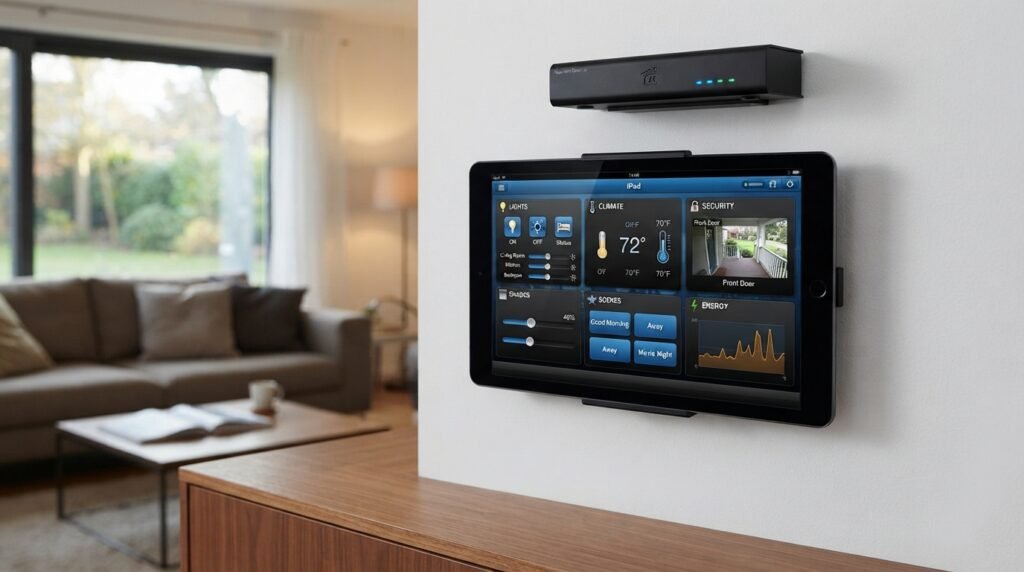
Table of Contents
A smart home can make everyday life easier, safer, and more comfortable. You can control lights, sensors, heating, doors, and other devices with less effort. One product that became known in the smart home market is Home Center Lite. It was designed as a compact central controller for home automation. The main idea is simple. Instead of controlling every smart device on its own, you can connect compatible devices through one central system. This can help create useful routines around the house. For example, lights can react to movement, sensors can send alerts, and selected devices can work together through automation scenes. The compact design also made it suitable for homes where space was limited. However, smart home technology changes quickly. Support and compatibility can vary by hardware, software, and connected devices. Therefore, anyone considering Home Center Lite should understand how the system works before investing in it. This guide covers its main features, setup ideas, benefits, limitations, security tips, and practical uses.
What Is Home Center Lite?
Home Center Lite is a compact smart home controller associated with the FIBARO home automation ecosystem. Its purpose is to act as a central point for compatible smart devices. Instead of managing every device separately, users can connect supported products to the controller. These devices can then be arranged into rooms and used within automation scenes. The system was designed around wireless home automation, making it useful for existing homes where installing new wiring can be difficult. A central controller can make a smart home feel more organized. For example, you might have a motion sensor in the hallway, smart lights in the living room, and a door sensor near the entrance. Instead of treating each device as a separate product, the controller can help bring them into one system. This approach can save time and simplify daily routines. Before purchasing any older smart home controller, however, check current software support and device compatibility. This is especially important because smart home standards continue to change.
How Home Center Lite Works
The basic idea behind Home Center Lite is similar to having a manager for your smart home. The controller communicates with compatible devices and allows you to organize and automate them. Many compatible devices use wireless communication, which means you do not need to run new control wires throughout every room. After connecting the controller, users can add supported devices to the system. These devices can include switches, sensors, lights, plugs, blinds, and other home automation products. Once the devices are connected, they can be assigned to rooms. The next step is creating rules or scenes. A scene can tell the system what should happen when a certain condition occurs. For example, movement detected in a hallway could turn on a light. A door opening could trigger a notification. A scheduled event could turn selected lights off at bedtime. These simple examples show why a central controller can be useful. The system becomes more valuable as devices begin working together rather than operating alone.
Getting Started With Home Center Lite
Setting up Home Center Lite should begin with a clear plan. Avoid buying many smart devices before deciding what you actually want to automate. Start by walking through your home and identifying repetitive tasks. Maybe hallway lights are often left on. Perhaps you want a notification when a door opens. You may also want to monitor temperature or control selected lights while away. Write these goals down before purchasing equipment. Next, check whether the devices you want are compatible with the controller and its current software environment. Compatibility is one of the most important parts of smart home planning. A device may be advertised as smart but still not work with your chosen system. Once you have suitable equipment, connect the controller according to its instructions. Create rooms and give each device a clear name. Names such as “Kitchen Ceiling Light” are much easier to understand than random numbers. Test each device individually before creating complex scenes. This makes troubleshooting much easier later. A careful beginning can prevent many common setup problems.
Organizing Rooms and Devices
One of the easiest ways to improve a smart home is to keep it organized. Home Center Lite can be used to arrange compatible devices according to rooms and areas. This is helpful because smart homes can quickly contain many different devices. Imagine having lights, sensors, switches, and plugs throughout the property. Without proper organization, finding a specific device can become frustrating. Start by creating simple room names. You might have Kitchen, Living Room, Bedroom, Bathroom, Hallway, Garage, and Garden. Then assign each compatible device to the correct location. Use names that describe both the room and the function. For example, “Bedroom Lamp” is clearer than “Switch 4.” Good naming also helps when creating automation scenes. You will know exactly which device should respond. If another family member uses the system, clear labels make things easier for them too. Organization may sound like a small detail, but it becomes more important as your smart home grows. Spend a few minutes organizing everything during setup. That small effort can save hours of confusion later.
Smart Lighting With Home Center Lite
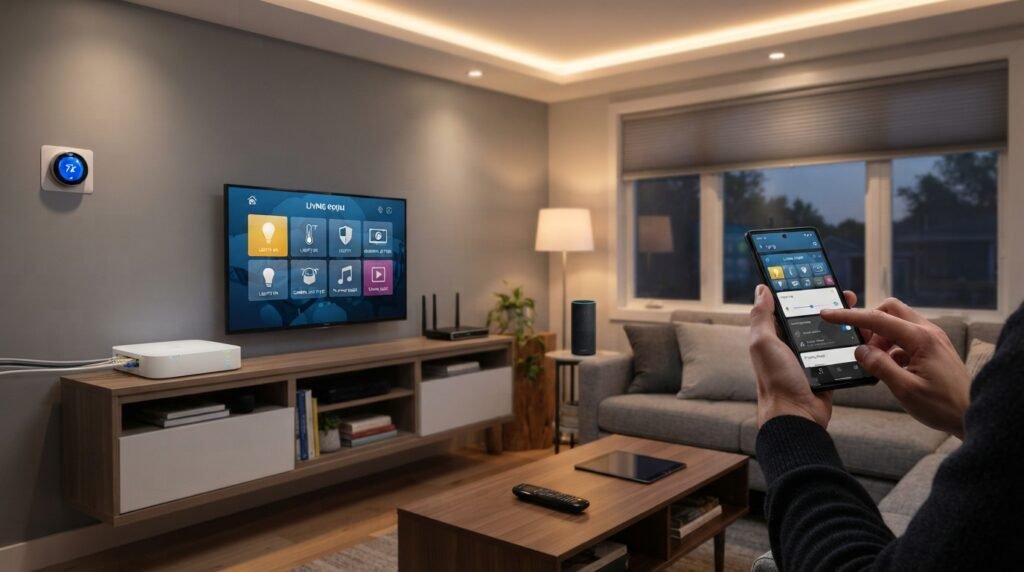
Lighting is one of the best places to begin home automation. Home Center Lite can help manage compatible smart lighting equipment and switches. The simplest automation might turn a light on when movement is detected. Another option could turn lights off after a certain period. You can also create schedules for selected lights. For example, outdoor lighting might turn on around evening time. Bedroom lights could follow a gentle morning schedule. Hallway lighting could respond to motion during nighttime hours. These small changes can make a home feel much more convenient. Smart lighting can also help reduce wasted electricity. Lights do not need to remain on in empty rooms when sensors and automation are used correctly. However, smart lighting should be installed safely. Some smart switches and modules connect directly to household electrical wiring. If you are not trained to work with electrical systems, hire a qualified electrician. Do not experiment with live electrical connections. The goal of home automation is convenience, but safety should always come first. A reliable lighting system should remain easy to control manually when needed.
Using Motion Sensors
Motion sensors can make automation feel more natural. Instead of pressing a button every time you enter a room, a sensor can detect movement and trigger an action. With Home Center Lite, compatible sensors can become part of different automation scenes. Consider a hallway at night. You walk through the area, the sensor detects movement, and the connected light turns on. After a suitable period, the light can turn off again. This can be useful for children, older family members, or anyone walking through the house at night. Motion sensors can also help with security-related routines. A movement event could trigger a notification or another compatible action. However, sensor placement matters. A sensor facing a busy doorway may trigger too often. A sensor hidden behind furniture may miss movement. Test the position before permanently installing it. Consider pets as well. Some sensors may detect animals and cause unwanted triggers. Start with one sensor and learn how it behaves. Once you understand its range, you can build more useful automations.
Door and Window Monitoring
Door and window sensors are another useful part of a connected home. A small sensor can tell the system when a door or window opens or closes. Home Center Lite can use compatible sensors as triggers for automation. For example, opening the front door could activate an entry light. A window opening could trigger a notification under certain conditions. You might also use a door sensor as part of an evening routine. The important point is that sensors provide information. The controller can then use that information to perform an action. This can improve awareness without requiring constant manual checking. However, smart sensors should not replace proper locks, alarms, or other safety equipment. They are an additional layer of convenience and awareness. Battery-powered sensors also need regular checks. A dead battery can make a sensor useless. Create a simple maintenance habit and test important sensors regularly. If you depend on alerts for security, test the entire process. Make sure the sensor triggers the correct scene and that notifications work as expected.
Creating Smart Home Scenes
Scenes are one of the most useful concepts in home automation. A scene combines several actions into one routine. Home Center Lite can be used to create scenes involving compatible devices. Instead of controlling five devices separately, one command can start a complete routine. Think about a “Good Night” scene. It could turn off selected lights, adjust compatible devices, and activate certain security-related functions. A “Leaving Home” scene could switch off lights and trigger other actions. A “Welcome Home” scene could turn on an entrance light when suitable conditions are met. The key is to keep scenes useful and simple. Avoid creating complicated routines that are difficult to understand. Start with one trigger and one action. Test it several times. Then add another action if needed. This step-by-step method reduces errors. Give each scene a clear name. “Good Night” is easier to remember than “Scene 12.” If something stops working, simple scenes are also easier to troubleshoot. The best automation is usually the automation that quietly solves a daily problem.
Home Security Automation
A smart home controller can support several useful security-related routines. Home Center Lite can work with compatible motion, door, window, smoke, and water sensors. These devices can provide information about what is happening around the property. For example, a door sensor may detect unexpected movement while you are away. A water sensor may detect moisture near a washing machine or sink. A motion sensor could trigger a light in a selected area. These functions can provide extra awareness. However, they should not be treated as a replacement for professional security systems or required safety equipment. Smoke alarms should remain properly installed and maintained. Strong physical locks are also important. Smart automation works best as one layer within a broader security plan. You should also protect your smart home accounts. Use strong passwords and avoid sharing login details. Review connected accounts regularly. If someone no longer needs access, remove their permissions. Security is not only about sensors. It also involves protecting the controller, network, accounts, and physical devices. A balanced approach creates a safer and more reliable smart home.
Smart Heating and Temperature Control
Temperature control is another area where automation can provide practical benefits. Compatible temperature sensors and climate devices can help monitor conditions around the home. Home Center Lite can be part of an automation setup that uses temperature information. For example, a temperature sensor could provide data that triggers a compatible heating device under certain conditions. This can help maintain a more consistent indoor environment. However, temperature automation should be configured carefully. A poorly designed rule could make a room uncomfortable or waste energy. Think about when rooms are actually occupied. A bedroom may need different settings from a living room. A home office may need comfortable temperatures during working hours. Sensors should also be placed away from direct sunlight and other heat sources. This helps provide more useful readings. If your heating or cooling system has complex controls, professional installation may be necessary. Always check compatibility before connecting climate equipment. Smart temperature control works best when it supports a sensible schedule. Automation should reduce unnecessary adjustments while keeping manual control available.
Home Center Lite and Energy Efficiency
Smart technology can help homeowners reduce waste, but automation alone does not guarantee lower energy bills. Home Center Lite can help create routines that switch off selected lights or control compatible equipment when it is not needed. This can be useful in busy households where devices are often forgotten. For example, hallway lights could turn off automatically after a period without movement. Outdoor lights could follow a schedule instead of remaining on all day. Heating could follow occupancy patterns when compatible equipment supports that function. These changes may reduce unnecessary use. However, energy efficiency depends on the entire home. Insulation, windows, appliances, heating systems, and daily habits all have major effects. Smart devices should support those efforts rather than replace them. A good way to measure success is to track energy use before and after major changes. This gives you a clearer picture of what actually works. Avoid creating automation simply because a feature exists. Choose routines that solve real problems. Smart technology is most useful when it makes efficient habits easier to maintain.
Remote Control and Mobile Access
One reason people choose smart home systems is the ability to control devices remotely. Home Center Lite was designed to provide centralized control, including remote management through compatible software and services. Remote access can be convenient when you are away from home. You might check whether selected lights are on or review certain system conditions. It can also help you activate a routine before returning home. However, remote access introduces additional security concerns. Your account should use a strong password that is not reused elsewhere. Keep your devices and supported software updated when updates are available. Do not share account details casually. If several people need access, use the proper user features instead of sharing one password. You should also understand what happens if your internet connection fails. Local smart home functions and remote functions may behave differently. For important equipment, keep manual controls available. A smart home should remain usable even when technology has a temporary problem. Convenience is valuable, but reliability matters even more.
Home Center Lite and Voice Control
Voice control can make smart devices easier to operate. Depending on the system version and available integrations, users may connect compatible smart home functions with voice assistant services. This can allow simple commands for supported devices. For example, you may be able to control a compatible light without reaching for a phone. Voice commands can be helpful when your hands are busy. They can also help family members who find traditional apps difficult to use. However, voice control should be treated as an optional layer. Integrations can change over time, and compatibility may depend on current software. Always check whether the exact devices and services you want are supported. Privacy should also be considered. Voice assistants may process commands through external services. Review privacy settings before enabling sensitive features. Avoid connecting important security functions without understanding how they work. A smart home should have multiple control options. Physical switches, mobile controls, and automation can work together. This creates flexibility when one method is unavailable.
Geolocation and Arrival Automation
Geolocation can make a smart home respond to your location. When properly configured, location-based automation may trigger certain routines when someone leaves or approaches home. Home Center Lite has been associated with location-based smart home features. A simple example is an arrival scene. When you approach the home, selected lights might turn on. A leaving scene could turn off certain devices after everyone has left. This can reduce the need to remember repetitive tasks. However, location automation should be configured carefully. You do not want lights turning on every time someone passes nearby. Distance settings and user conditions can help make the system more reliable. Privacy is another consideration. Location-based features can involve sensitive information about movement and routines. Review the privacy options of the applications and services involved. Use geolocation only when it provides a clear benefit. A smart home should not collect or use more information than necessary. When designed carefully, location automation can be convenient. When poorly designed, it can become annoying and unpredictable.
Smart Blinds and Window Automation
Motorized blinds and shades can become useful parts of a smart home. Compatible window coverings can respond to schedules, sensors, or scenes. With Home Center Lite, supported devices can potentially be included in broader automation routines. For example, blinds could close during strong sunlight. They could open in the morning according to a schedule. A vacation scene could also move selected blinds at different times. This can make a home appear occupied while residents are away. Window automation can also help manage indoor comfort. Closing shades during intense sunlight may reduce glare and unwanted heat. However, automation should not block emergency exits or create unsafe conditions. Make sure people can operate important blinds manually. Children and pets should also be considered when installing motorized equipment. Check the compatibility of the blind controller before purchasing it. Not every motorized shade works with every smart home hub. Good automation should improve comfort while keeping basic control simple. The best systems make daily life easier without creating unnecessary complexity.
Home Center Lite and Entertainment
Home automation can also connect with entertainment routines. Depending on available integrations, compatible media equipment may become part of a smart scene. Home Center Lite can be used as a central point for certain automation functions. Imagine a movie scene that dims compatible lights and adjusts other connected equipment. A music scene might create a comfortable evening environment. These routines can be convenient because several actions happen together. However, entertainment integration often depends on specific devices and software. Before purchasing equipment, check whether it can communicate with your smart home system. Avoid assuming that every television, speaker, or streaming device will work automatically. Start with one simple routine. If it works reliably, add more features. Entertainment automation should not make normal use harder. Keep physical remotes and manual controls available. Technology should support the experience instead of becoming the experience. A simple scene that works every time is usually better than a complicated setup that frequently fails.
Network and Wireless Performance
A smart home depends on reliable communication. Home Center Lite uses a connected network and compatible wireless devices, so placement matters. Thick walls, metal surfaces, floors, and large distances can affect wireless communication. A controller hidden inside a cabinet may have weaker communication with some devices. Try to place it in a central and suitable location. If a device frequently disconnects, check its distance from the controller and other connected devices. Some wireless systems can use connected devices to extend communication, depending on the technology and equipment. Building structure still matters. Do not assume that a signal will travel equally through every part of a house. When designing a large smart home, test the system before installing many devices. It is better to discover a range problem early. A stable network also helps remote features work more reliably. If several devices stop responding at once, check the controller and network first. If only one device fails, investigate that device separately. Simple troubleshooting can save a lot of time.
Troubleshooting Common Problems
Every smart home can experience problems. A device may stop responding, a sensor battery may die, or an automation scene may fail. When Home Center Lite has a problem, start with the simplest possible checks. Confirm that the controller has power. Check the network connection. Then inspect the device that is not responding. Make sure it has power and has not been physically moved. If it uses batteries, check the battery condition. Review the automation scene and confirm that its trigger still works. Avoid changing many settings at once. If you make several changes, it becomes difficult to know what solved the problem. Restarting equipment may sometimes help, but follow the appropriate instructions for your system. Keep a simple record of important settings. This can help if you need to rebuild or troubleshoot the system later. If an electrical module has a physical problem, do not open or repair it yourself. Electrical work should be handled by a qualified professional. Safe troubleshooting is always more important than saving a few minutes.
Smart Home Security and Privacy
Security should be part of every connected home. A controller can provide convenience, but it also needs protection. Home Center Lite should be treated like any other connected technology. Use strong passwords and avoid reusing them across different accounts. Keep supported software updated when updates are available. Review which people and services have access to the system. Remove old accounts when they are no longer needed. Your home network should also use strong security settings. Avoid connecting unknown devices simply because they claim to be compatible. Check the source and reputation of products before adding them. Privacy is equally important. Smart devices can reveal information about household routines. Motion sensors may show when rooms are occupied. Location features may reveal when people leave home. Consider what information each feature needs. Turn off unnecessary functions when possible. A secure smart home does not require every available feature. It requires thoughtful choices. Use technology that provides real value while keeping unnecessary access and data collection to a minimum.
Advantages of Home Center Lite
There are several reasons a compact smart home controller can appeal to homeowners. First, centralized management can make multiple devices easier to organize. Instead of using separate systems for every room, compatible equipment can be managed through one ecosystem. Second, automation can reduce repetitive tasks. Lights, sensors, and other devices can respond to schedules or conditions. Third, wireless communication can make installation easier in existing homes. You may not need to run new control wiring throughout the property. Fourth, scenes can combine several actions into useful routines. These features can make a home feel more responsive. Home Center Lite can be especially appealing to people who already have compatible equipment within its ecosystem. However, the benefits depend on current compatibility and software support. Smart home technology evolves quickly. An older controller may not support every newer device. Therefore, consider both present needs and future expansion before investing. A good smart home system should solve today’s problems while leaving you with a reasonable path forward.
Limitations to Consider
No smart home controller is perfect. One important consideration with Home Center Lite is that it belongs to a specific smart home ecosystem. Compatibility should be checked before adding new devices. Another concern is product age. Older hardware may have different software support compared with newer controllers. Features can also change when third-party services update their platforms. Wireless communication may be affected by walls, distance, and other interference. Smart devices also need maintenance. Batteries must be replaced, software may need updates, and automation scenes should occasionally be reviewed. Another limitation is that advanced setups can become complicated. The more devices you add, the more time you may spend managing them. This does not mean you should avoid smart home technology. It simply means you should plan carefully. Choose devices that solve real problems. Avoid unnecessary gadgets. Keep your setup organized. Most importantly, check current compatibility and support before purchasing older smart home equipment. Good planning can prevent disappointment and unnecessary expense.
Is Home Center Lite Right for You?
Choosing a smart home controller depends on your goals. Home Center Lite may make sense if you already own compatible devices and want centralized automation. It can also be interesting for homeowners who prefer wireless control and organized scenes. However, people starting a completely new smart home should compare current platforms before making a decision. Look at supported devices, software updates, security, app quality, integrations, and future expansion. Do not choose a system only because the controller is small or affordable. Think about what you want your home to do. If your main goal is lighting, you may need a simple setup. If you want security, climate control, blinds, entertainment, and advanced automation, you need a broader ecosystem. Also consider how comfortable you are with technology. Some systems are easier to maintain than others. Make a list of your top five smart home goals. Then compare systems against those goals. This approach is much better than buying random smart devices and trying to connect them later.
How to Build a Simple Smart Home
A good smart home does not need dozens of devices. Start with a few useful products. You might begin with smart lighting, one motion sensor, and a door sensor. Once these work reliably, you can add more equipment. Home Center Lite can provide a central structure for compatible devices, but your planning matters just as much as the controller. Create rooms and use clear device names. Build simple scenes first. Test them for several days. Ask yourself whether the automation actually makes life easier. If a scene causes more problems than it solves, change it. Smart homes should adapt to real life. You may discover that you prefer manual control in some rooms. That is perfectly fine. Automation is not about making everything automatic. It is about removing unnecessary work. A well-designed system may have only a few automations, but each one provides useful value. Start small, learn how your system behaves, and expand only when you have a clear reason.
Tips for Maintaining Your Smart Home
Regular maintenance can keep a smart home reliable. Check important sensors every few months. Replace batteries before they become completely empty. Review automation scenes and remove routines you no longer use. Check connected accounts and remove unnecessary access. Keep compatible software updated when appropriate. Clean sensors and devices when dust affects their operation. Home Center Lite users should also keep a record of their setup. Write down important device names and basic configuration details. This can make troubleshooting easier later. If you move a sensor or switch, update your room organization. Test important security-related automations instead of assuming they still work. Technology can fail silently, so regular checks are valuable. Do not ignore small problems. A sensor that works only sometimes may eventually stop working completely. Address issues while they are easy to understand. Good maintenance does not require hours every week. A short check every few months can make a major difference. Think of your smart home like any other household system. A little care can keep it useful for longer.
FAQs
What is Home Center Lite?
Home Center Lite is a compact smart home controller associated with the FIBARO ecosystem. It can manage compatible smart devices and automation routines.
What can Home Center Lite control?
Depending on compatible devices and software, it can support functions involving lighting, sensors, switches, blinds, security devices, climate equipment, and other smart home products.
Does Home Center Lite use wireless technology?
Yes. It was designed around wireless home automation technology, including compatible Z-Wave devices.
Can Home Center Lite automate lights?
Yes. Compatible lights, switches, and sensors can be used together in automation scenes.
Can I control Home Center Lite remotely?
Remote control may be available through compatible software and services. Availability can depend on the current system and support status.
Is Home Center Lite still worth buying?
It depends on your needs. Check current support, software availability, device compatibility, and newer alternatives before purchasing older hardware.
Conclusion
A smart home should make everyday life simpler, not more confusing. Home Center Lite introduced a compact way to bring compatible smart devices together under one central system. Its main value comes from automation. Lights can respond to movement, sensors can provide useful alerts, and compatible devices can work together through customized scenes. The system can also help organize different areas of a home and reduce repetitive tasks. However, smart home technology changes quickly. Anyone considering this controller should check current software support and compatibility before making a purchase. It is also important to think about network reliability, privacy, security, and long-term expansion. Start with a few devices that solve real problems. Organize them carefully and create simple automation scenes. Test everything before adding more complexity. A successful smart home is not the one with the most gadgets. It is the one that quietly makes daily life easier. Whether you choose Home Center Lite or another modern platform, thoughtful planning will help you create a home that feels comfortable, convenient, and connected.